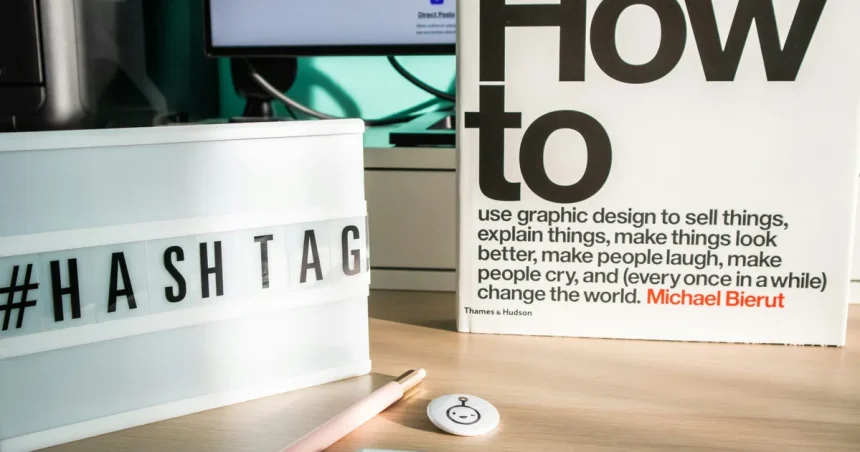
Designing a dedicated workspace at home that limits visual distractions is essential for maintaining deep focus in an era of constant digital fragmentation. As we move further into 2026, the blurred lines between personal living areas and professional environments require intentional spatial architecture to protect cognitive performance. A cluttered peripheral vision forces the brain to process unnecessary stimuli, which inevitably depletes the mental energy required for complex problem-solving. By curating a minimalist environment, you create a visual sanctuary that signals to your nervous system that it is time to perform. This guide explores the architectural, psychological, and organizational strategies necessary to build a high-performance office that minimizes external interference, allowing you to sustain flow states for extended periods without succumbing to the fatigue caused by environmental noise.
The Psychology of Visual Quiet
The human brain is hardwired to scan its environment for potential threats or changes, a biological trait that makes visual clutter a significant barrier to sustained productivity. When your field of vision contains excessive objects, color variations, or disorganized materials, your prefrontal cortex is forced to expend metabolic energy filtering out that information. By strictly controlling what enters your visual field, you reduce the cognitive load, effectively reserving your mental bandwidth for the task at hand. This concept, often cited in research regarding the psychology of space, suggests that the physical environment acts as an external hard drive for your mental processing.
To achieve this state of visual quiet, you must adopt a philosophy of essentialism where every item on your desk has a specific, active purpose. In 2026, high-performance professionals are moving away from traditional “busy” aesthetics toward monochromatic or neutral palettes that minimize visual spikes. Consider using matte finishes for your furniture to reduce light glare, which can be an overlooked source of eye strain and distraction. When your environment is stripped of non-essential triggers, you create a neutral canvas that allows your internal focus to flourish, preventing the common midday slump caused by sensory overstimulation.
Strategic Layout and Positioning
The orientation of your desk is perhaps the most critical factor in mitigating visual distractions within a home office. If you are positioned facing a high-traffic area, such as a hallway or a common living space, your peripheral vision will constantly catch movement, triggering involuntary micro-distractions. Ideally, your desk should face a wall, or be positioned in a way that limits your view of doorways and windows. If you must face a window, consider using privacy film or sheer curtains to diffuse the intensity of the light and obscure the movement of the outside world, which can disrupt your focus.
Creating a physical barrier between your workspace and the rest of the home is a proven strategy for maintaining professional boundaries. If a separate room is not available, utilize room dividers, acoustic panels, or even strategic shelving units to define the perimeter of your zone. These structures serve a dual purpose: they provide storage for your equipment and act as a psychological wall that signals to others that you are in a deep work phase. As noted in guidance from Harvard Business Review, the physical layout of a workspace is a primary determinant of how effectively a person can transition into a flow state.
Managing Equipment and Cables
Cable management is often the most neglected aspect of a minimalist workspace, yet it remains the primary culprit for visual chaos. A tangled mess of wires under a desk creates a subconscious sense of disorder that permeates your entire workday. By utilizing cable sleeves, under-desk trays, and wireless peripherals, you can eliminate the visual noise associated with power cords and data cables. A clean, unobstructed surface beneath your feet and behind your monitors provides a sense of openness that is conducive to long-term mental clarity.
Beyond cabling, consider the physical footprint of your hardware. Large, bulky monitors or excessive peripheral devices can dominate a small space, creating a sense of being “boxed in.” In 2026, the trend toward ultra-wide, single-monitor setups or integrated laptop docking stations allows for a significantly cleaner desk surface. Below is a comparison of traditional versus minimalist desk configurations to help you visualize the impact of these choices on your daily work environment.
| Feature | Traditional Workspace | Minimalist Workspace |
|---|---|---|
| Cable Visibility | High/Cluttered | Hidden/Managed |
| Surface Items | Many (Non-essential) | Only Task-Critical |
| Peripheral Setup | Multiple scattered devices | Integrated/Wireless |
| Color Palette | High contrast/Busy | Neutral/Monochromatic |
Lighting and Color Theory
Lighting is the unsung hero of a distraction-free office, as it directly influences both your mood and your ability to focus on text. Harsh overhead lighting often creates distracting shadows and glare on monitor screens, forcing your eyes to work harder than necessary. Instead, employ task-specific lighting, such as a high-quality desk lamp with adjustable color temperatures. Warm light is generally better for creative tasks, while cooler, blue-toned light can help with alertness during data-heavy work. By controlling your lighting, you regulate your circadian rhythm, ensuring that your energy levels remain consistent throughout the day.
The Impact of Ambient Light
Color theory also plays a vital role in keeping your mind calm. Avoid bright, high-saturation colors on the walls directly in front of your workspace, as these can be visually stimulating in an unproductive way. Soft grays, muted blues, or earthy tones are significantly more effective at promoting a sense of stability and focus. When your environment reflects a calm aesthetic, your brain is less likely to wander, allowing you to remain anchored in your tasks. Remember that your workspace is not a place for decoration, but a professional tool designed to facilitate your output.
The Role of Hidden Storage
Effective storage is the difference between a desk that looks like an office and one that looks like a storage unit. To maintain a distraction-free zone, everything that is not currently in use must have a dedicated home out of sight. Utilize closed cabinetry or deep desk drawers to house stationary, notebooks, and reference materials that you do not need every minute of the day. The “out of sight, out of mind” principle is powerful; when you hide your tools, you remove the visual reminders of tasks you haven’t finished yet, which reduces anxiety.
In addition to closed storage, consider the importance of vertical space. Installing floating shelves above your desk can keep essential items within arm’s reach without cluttering your workspace surface. However, be cautious not to overfill these shelves. Keep them curated with only the most essential reference items or a single piece of art that does not distract you. By keeping the horizontal surfaces clear, you ensure that your workspace feels expansive and inviting, rather than cramped and chaotic. This intentional approach to storage is a hallmark of the modern, high-functioning home office.
Digital and Physical Hygiene
Even with the perfect physical setup, visual distractions can arrive via digital clutter. Your monitor is part of your workspace, and a desktop filled with hundreds of icons is a significant visual irritant. Use folder structures to organize your files and hide your dock or taskbar when not in use to reclaim screen real estate. Furthermore, consider the physical hygiene of your space; a dusty keyboard or a smudged monitor screen can be surprisingly distracting when you are trying to focus on fine details. Dedicate five minutes at the end of each day to reset your space to a “neutral” state.
Maintaining this standard requires discipline, but the return on investment is a workspace that actively works in your favor. When you start each morning in a clean, organized, and minimal environment, you eliminate the friction of starting your workday. You are not just cleaning a room; you are preparing a mental launchpad for your most important work. This ritual of closing down your desk and resetting your environment is a practice adopted by elite performers to ensure they remain in control of their focus, regardless of the demands placed upon them.
Key Takeaways
- Position your desk to face away from high-traffic areas to minimize peripheral distractions.
- Implement rigorous cable management systems to remove visual noise from your environment.
- Choose a neutral color palette to prevent the brain from over-processing sensory input.
- Use closed storage solutions to keep non-essential items out of your immediate field of vision.
- Establish a daily reset ritual to ensure your workspace remains clean and ready for focus.
- Invest in adjustable task lighting to reduce glare and support your circadian rhythm.
Frequently Asked Questions
How can I hide cables if I have a glass desk?
For glass desks, use clear adhesive cable clips that attach to the underside of the frame. You can also run cables through a hollow desk leg or use a spine-style cable manager that blends into the background color of your room.
Is it better to face a wall or a window?
Facing a wall is generally better for focus because it removes moving objects from your view. If you must face a window, use blinds or frosted film to maintain a consistent light level and block out distracting motion.
What is the best color for a focus-oriented office?
Muted, cool colors like sage green, soft gray, or light blue are widely regarded as the best choices. These colors are calming, reduce eye strain, and do not compete for your attention like vibrant or warm colors.
How often should I reorganize my desk?
You should perform a “reset” at the end of every day. A full reorganization should happen quarterly to assess if the tools you are keeping on your desk are still serving your primary goals or if they have become clutter.
Can plants help with visual focus?
One or two small, low-maintenance plants can improve the feel of a room without being distracting. However, avoid large, bushy plants that clutter your visual field; place them in corners where they won’t interfere with your line of sight.
Conclusion
Designing a workspace that limits visual distractions is a deliberate act of protecting your most valuable asset: your attention. By carefully managing your physical environment—from the orientation of your furniture to the way you organize your cables and digital assets—you create a sanctuary for deep, meaningful work. As we navigate the complexities of 2026, the ability to concentrate in a home environment will distinguish the highly effective from the merely busy. Take the time to curate your space with intention, and you will find that your capacity for sustained focus grows in proportion to the clarity of your surroundings.