
Working from home has transformed from a rare perk to a daily reality for millions, but staying productive in this environment requires more than just a laptop and good intentions. The blurred lines between personal and professional life, constant distractions, and the lack of a structured office environment can turn even the most disciplined professionals into masters of procrastination. Yet, those who master the art of remote productivity don’t just survive—they thrive, often outperforming their in-office counterparts. The secret lies in creating systems that work with your natural rhythms, not against them, while maintaining the focus and energy needed to deliver results. Whether you’re a freelancer, a corporate employee, or an entrepreneur, the strategies below will help you turn your home into a productivity powerhouse without burning out.
What Does Productivity at Home Really Mean?
Productivity while working from home isn’t about logging more hours or mimicking the 9-to-5 grind—it’s about achieving meaningful output in a way that aligns with your lifestyle and cognitive strengths. In its simplest form, it’s the ability to complete high-priority tasks efficiently, maintain focus despite distractions, and sustain energy levels without the external structure of an office. Unlike traditional work settings, remote productivity demands self-awareness, intentional design, and a willingness to experiment with what works for you. It’s less about rigid schedules and more about creating an environment where your brain can enter a state of deep work, even when the laundry pile is calling your name.
Many people fall into the trap of equating busyness with productivity. Answering emails at midnight or attending back-to-back Zoom calls might feel productive, but it often leads to burnout and diminishing returns. True productivity at home is about output over input—focusing on what moves the needle rather than what fills your calendar. This shift in mindset is the first step toward building a sustainable remote work routine that doesn’t leave you exhausted by noon.
Why Traditional Office Rules Don’t Apply at Home
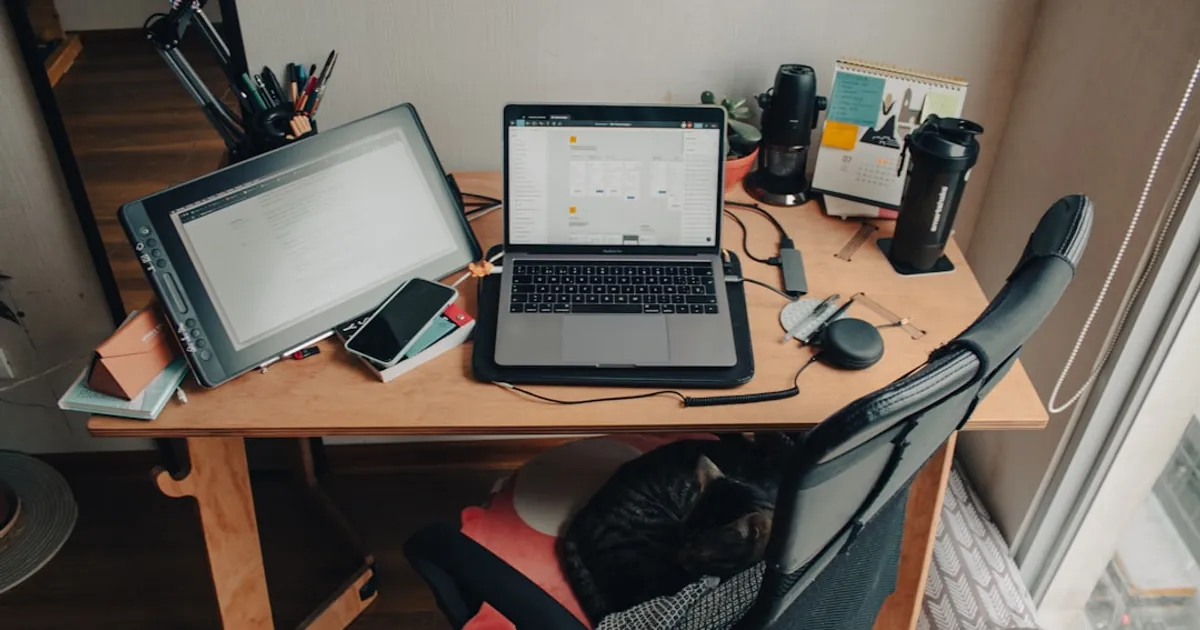
The office environment is designed to minimize distractions and maximize focus. From the layout of desks to the presence of colleagues, everything is structured to keep you on task. At home, however, you’re the architect of your own workspace—and that comes with unique challenges. The kitchen table might double as your desk, your bed might tempt you for a midday nap, and household chores can feel like urgent interruptions. Unlike an office, where social norms discourage personal tasks during work hours, home life doesn’t come with such boundaries.
This lack of structure can be liberating, but it also requires a different approach to productivity. Instead of relying on external cues (like a manager walking by or the sound of a printer), you’ll need to create your own systems. This might mean setting up a dedicated workspace, using time-blocking techniques, or leveraging tools that help you stay accountable. The key is to recognize that what worked in the office might not work at home—and that’s okay. Flexibility and adaptability are your greatest assets.
The Role of Psychological Triggers in Remote Work
Our brains rely on environmental cues to signal when it’s time to work and when it’s time to relax. In an office, these cues are built into the environment: the commute, the dress code, the coffee machine. At home, these triggers are absent, which can make it harder to switch into “work mode.” This is why many remote workers struggle with procrastination or feel like they’re always “on.” To combat this, you can create your own psychological triggers—rituals that signal to your brain that it’s time to focus.
For example, changing out of pajamas into work clothes (even if they’re just a nicer pair of sweatpants) can help shift your mindset. Similarly, lighting a specific candle or playing a particular playlist can act as a cue that work has begun. Over time, these small rituals train your brain to associate certain actions with productivity, making it easier to slip into a focused state. If you’re curious about more ways to avoid procrastination, this related article dives deeper into the psychology behind it.
Designing a Workspace That Boosts Focus

Your workspace is the foundation of your productivity at home. A cluttered, uncomfortable, or poorly lit area can drain your energy and make it harder to concentrate. On the other hand, a well-designed workspace can enhance your focus, creativity, and even your mood. The goal isn’t to replicate a corporate office but to create a space that feels inspiring and functional for your specific needs. This might mean a standing desk, a cozy armchair, or a minimalist setup with just a laptop and a notebook.
Start by choosing a location that’s free from distractions. If possible, avoid working from your bed or couch—these spaces are associated with relaxation, not productivity. Instead, opt for a quiet corner of a room, a spare bedroom, or even a closet if space is limited. The key is to have a designated area that your brain associates with work. If you’re tight on space, consider using room dividers or noise-canceling headphones to create a sense of separation from the rest of your home.
Ergonomics: The Silent Productivity Killer
Poor ergonomics can lead to discomfort, fatigue, and even long-term health issues like back pain or carpal tunnel syndrome. Yet, many remote workers overlook this aspect of their setup, opting for whatever is most convenient in the moment. Investing in a good chair, an adjustable desk, and proper lighting can make a world of difference in your productivity and well-being. If you’re on a budget, even small adjustments—like using a stack of books to elevate your laptop or adding a lumbar pillow—can help.
Pay attention to your posture, too. Slouching or hunching over your laptop can lead to tension in your neck and shoulders, which can sap your energy and focus. Aim to keep your screen at eye level, your feet flat on the floor, and your wrists straight while typing. Taking regular breaks to stretch or walk around can also prevent stiffness and keep your mind sharp. For more tips on setting up an efficient home office, check out this guide.
Lighting and Air Quality Matter More Than You Think
Natural light is one of the most underrated productivity boosters. Studies have shown that exposure to natural light improves mood, energy levels, and even sleep quality—all of which contribute to better focus and productivity. If possible, set up your workspace near a window to take advantage of daylight. If natural light isn’t an option, invest in a good desk lamp with adjustable brightness. Avoid harsh overhead lighting, which can cause eye strain and headaches.
Air quality is another often-overlooked factor. Poor ventilation can lead to fatigue, headaches, and difficulty concentrating. Open windows regularly to let in fresh air, or consider using an air purifier if you live in a polluted area. Plants can also improve air quality while adding a touch of nature to your workspace, which has been shown to reduce stress and boost creativity. Even something as simple as keeping your workspace clean and free of dust can make a noticeable difference in your ability to focus.
Mastering Time Management for Remote Work

Time management is the backbone of productivity, especially when working from home. Without the structure of an office, it’s easy to lose track of time, overcommit to tasks, or fall into the trap of multitasking. The key to effective time management is to work with your natural rhythms, not against them. This means identifying your peak productivity hours, prioritizing tasks based on their impact, and using techniques like time blocking to stay on track.
One of the biggest mistakes remote workers make is trying to replicate the 9-to-5 schedule. While this might work for some, it’s not the most efficient way to structure your day. Instead, consider adopting a flexible schedule that aligns with your energy levels. For example, if you’re a morning person, tackle your most demanding tasks early in the day. If you hit a slump in the afternoon, use that time for administrative work or meetings. The goal is to maximize your productive hours while allowing for breaks and downtime.
The Power of Time Blocking
Time blocking is a simple but powerful technique that involves dividing your day into blocks of time, each dedicated to a specific task or group of tasks. This method helps prevent multitasking, reduces decision fatigue, and ensures that you’re focusing on what truly matters. Start by listing your top priorities for the day, then assign each task to a block of time. Be realistic about how long each task will take, and don’t forget to include breaks.
For example, you might block out 9:00–10:30 AM for deep work, 10:30–11:00 AM for a break, and 11:00 AM–12:00 PM for meetings. The key is to stick to your schedule as closely as possible, treating each block as a non-negotiable appointment with yourself. If you’re new to time blocking, start with just a few blocks per day and adjust as needed. Over time, you’ll develop a rhythm that works for you. For more productivity hacks, this article offers actionable strategies to get more done in less time.
Avoiding the Multitasking Myth
Multitasking is often seen as a badge of honor, but research shows that it’s actually a productivity killer. When you switch between tasks, your brain needs time to refocus, which can lead to errors, wasted time, and increased stress. Instead of trying to do everything at once, focus on single-tasking—giving your full attention to one task at a time. This approach not only improves the quality of your work but also helps you complete tasks faster.
To avoid multitasking, try the Pomodoro Technique, which involves working for 25 minutes, then taking a 5-minute break. After four cycles, take a longer break of 15–30 minutes. This method helps maintain focus while preventing burnout. You can also use tools like website blockers or app timers to minimize distractions. Remember, the goal isn’t to work harder but to work smarter.
Building a Routine That Works for You

A consistent routine is the glue that holds your productivity together. Without one, it’s easy to drift through the day, reacting to whatever comes your way rather than proactively managing your time. A good routine doesn’t have to be rigid—it should be flexible enough to adapt to your needs while providing enough structure to keep you on track. The key is to design a routine that aligns with your goals, energy levels, and lifestyle.
Start by identifying your non-negotiables—the tasks or habits that set the tone for your day. This might include a morning workout, a healthy breakfast, or a few minutes of meditation. From there, build your routine around these anchors, ensuring that you’re dedicating time to both work and self-care. Don’t forget to include breaks, as they’re essential for maintaining focus and preventing burnout. If you’re looking for inspiration, this article outlines a daily routine tailored for freelancers and remote workers.
The Morning Routine: Setting the Tone for the Day
How you start your day can have a profound impact on your productivity. A well-designed morning routine can boost your energy, improve your mood, and set you up for success. The key is to include activities that align with your goals and values. For some, this might mean exercise, journaling, or reading. For others, it might involve planning the day ahead or spending time with family. The important thing is to create a routine that feels sustainable and enjoyable.
One common mistake is trying to cram too much into your morning. Instead of overwhelming yourself with a long list of tasks, focus on a few key activities that make you feel grounded and prepared. For example, you might start with a glass of water, followed by 10 minutes of stretching, and then a quick review of your to-do list. The goal is to ease into the day rather than jumping straight into work. Over time, these small habits will become second nature, making it easier to stay productive throughout the day.
The Evening Routine: Winding Down for Success

Just as your morning routine sets the tone for the day, your evening routine prepares you for the next one. A good evening routine helps you wind down, reflect on your accomplishments, and set intentions for the following day. This might include reviewing your to-do list, tidying up your workspace, or engaging in a relaxing activity like reading or listening to music. The key is to create a sense of closure, so you’re not left feeling like the day is never-ending.
Avoid screens at least an hour before bed, as the blue light can interfere with your sleep. Instead, opt for activities that promote relaxation, such as journaling or taking a warm bath. You might also use this time to plan the next day, so you can hit the ground running in the morning. By ending your day on a positive note, you’ll wake up feeling refreshed and ready to tackle whatever comes your way.
Leveraging Technology Without Letting It Distract You
Technology is a double-edged sword when it comes to productivity. On one hand, it provides tools that can streamline your work, automate repetitive tasks, and keep you connected with your team. On the other hand, it’s a constant source of distractions—from social media notifications to endless email chains. The key is to use technology intentionally, leveraging its benefits while minimizing its drawbacks. This means choosing the right tools for your needs, setting boundaries, and using features like “Do Not Disturb” mode to protect your focus.
Start by auditing your current tech stack. Are there tools you’re using that don’t add value? Are there apps that constantly pull your attention away from work? If so, it might be time to declutter. Focus on tools that align with your workflow and help you achieve your goals. For example, project management apps like Trello or Asana can help you stay organized, while communication tools like Slack or Microsoft Teams can keep you connected with your team. The goal is to use technology as a productivity enabler, not a distraction.
Essential Tools for Remote Productivity

Not all productivity tools are created equal. Some are designed to help you focus, while others are meant to streamline collaboration. The best tools for you will depend on your specific needs, but here are a few categories to consider:
- Task Management: Tools like Todoist, Notion, or ClickUp can help you organize your tasks and prioritize your workload.
- Time Tracking: Apps like Toggl or RescueTime can help you monitor how you’re spending your time and identify areas for improvement.
- Communication: Slack, Microsoft Teams, or Zoom are essential for staying connected with your team and clients.
- Focus: Tools like Freedom or Cold Turkey can block distracting websites and apps, helping you stay on task.
- Note-Taking: Apps like Evernote or OneNote can help you capture ideas, take meeting notes, and organize your thoughts.
When choosing tools, opt for those that integrate well with your existing workflow. The last thing you want is to spend more time managing tools than actually getting work done. Start with one or two tools and gradually add more as needed.
Setting Boundaries with Digital Distractions
Digital distractions are one of the biggest productivity killers for remote workers. From social media to news alerts, it’s easy to get sidetracked by the constant stream of information. To combat this, set clear boundaries around your technology use. This might mean turning off notifications during deep work sessions, scheduling specific times to check email, or using apps that limit your time on distracting websites.
Another effective strategy is to create a digital detox routine. This could involve taking a break from screens during lunch, avoiding work-related apps after hours, or designating one day a week as a “no-tech” day. The goal is to create space for focused work and relaxation, so you’re not constantly reacting to notifications. Remember, technology should serve you, not the other way around.
Staying Connected with Your Team and Yourself
One of the biggest challenges of remote work is the lack of social interaction. Without the casual conversations by the water cooler or the camaraderie of an office, it’s easy to feel isolated. This isolation can lead to decreased motivation, lower job satisfaction, and even burnout. To combat this, it’s important to stay connected with your team and yourself. This means prioritizing communication, fostering a sense of community, and making time for self-care.
Start by scheduling regular check-ins with your team. This could be a daily stand-up meeting, a weekly one-on-one, or even a virtual coffee chat. The key is to create opportunities for connection, even if they’re not work-related. You might also consider joining online communities or forums related to your industry, where you can network and share ideas with like-minded professionals. For more tips on staying connected, this article offers practical advice for remote workers.
Combating Loneliness and Isolation
Loneliness is a common issue for remote workers, but it’s not inevitable. The key is to be proactive about staying connected, both professionally and personally. This might mean scheduling virtual lunch dates with colleagues, joining a co-working space, or even working from a café a few times a week. The goal is to create opportunities for social interaction, even if they’re not in person.
It’s also important to stay connected with yourself. Remote work can blur the lines between work and personal life, making it easy to neglect your own needs. Make time for hobbies, exercise, and relaxation, and don’t forget to check in with yourself regularly. If you’re feeling overwhelmed or isolated, don’t hesitate to reach out to a friend, family member, or mental health professional. Your well-being is just as important as your productivity.
The Importance of Regular Check-Ins
Regular check-ins with your team are essential for staying aligned and maintaining a sense of connection. These check-ins don’t have to be formal—they can be as simple as a quick Slack message or a virtual coffee chat. The key is to create a rhythm of communication that works for everyone. This might mean a daily stand-up meeting, a weekly team sync, or a monthly one-on-one with your manager.
Check-ins are also an opportunity to provide and receive feedback, which is crucial for growth and development. Don’t be afraid to ask for what you need, whether it’s more support, clearer expectations, or additional resources. The more open and honest your communication, the more productive and engaged you’ll be. Remember, remote work is a team effort, and staying connected is key to success.
Key Takeaways
- Productivity at home is about output over input—focus on what moves the needle, not just filling your calendar.
- Design a workspace that minimizes distractions and maximizes comfort, paying attention to ergonomics, lighting, and air quality.
- Use time management techniques like time blocking and the Pomodoro Technique to stay on track and avoid multitasking.
- Build a routine that aligns with your energy levels, including a morning and evening routine to set the tone for the day.
- Leverage technology intentionally, using tools that streamline your work while setting boundaries to minimize distractions.
- Stay connected with your team and yourself to combat loneliness and maintain motivation.
- Experiment with different strategies to find what works best for you—productivity is personal, and there’s no one-size-fits-all solution.
Expert Insights
“The biggest mistake remote workers make is trying to replicate the office environment at home. Instead of forcing yourself into a 9-to-5 schedule, focus on creating systems that work with your natural rhythms. Productivity isn’t about working harder—it’s about working smarter. This means prioritizing deep work, setting boundaries, and making time for self-care. The most successful remote workers are those who treat their home office as a sanctuary, not a prison.”
— Dr. Sarah Johnson, Remote Work Psychologist and Author of The Productive Home
Frequently Asked Questions
How can I stay motivated when working from home?
Motivation can be tricky when you’re working from home, especially if you’re used to the energy of an office. Start by setting clear goals for the day and breaking them down into smaller, manageable tasks. Celebrate small wins to build momentum, and don’t forget to take breaks to recharge. If you’re feeling stuck, try changing your environment—work from a café, take a walk, or switch up your routine. Sometimes, a little variety is all it takes to reignite your motivation.
What’s the best way to handle distractions at home?
Distractions are inevitable when working from home, but you can minimize their impact by setting boundaries. Start by identifying your biggest distractions—whether it’s social media, household chores, or family members—and create a plan to address them. This might mean using website blockers, setting specific work hours, or communicating your needs to those around you. If you’re struggling with focus, try the Pomodoro Technique or time blocking to stay on track.
How do I create a work-life balance when my home is my office?
Work-life balance is one of the biggest challenges of remote work, but it’s not impossible to achieve. Start by setting clear boundaries between work and personal time. This might mean designating specific work hours, creating a dedicated workspace, or even changing out of your work clothes at the end of the day. It’s also important to prioritize self-care, whether that’s exercise, hobbies, or spending time with loved ones. Remember, balance isn’t about splitting your time equally—it’s about making time for what matters most.
What are some effective ways to manage time when working remotely?
Time management is key to productivity when working from home. Start by identifying your peak productivity hours and scheduling your most demanding tasks during that time. Use techniques like time blocking or the Eisenhower Matrix to prioritize your workload, and don’t forget to include breaks in your schedule. Tools like Toggl or RescueTime can help you track how you’re spending your time and identify areas for improvement. The goal is to work smarter, not harder.
How can I avoid burnout while working from home?
Burnout is a real risk for remote workers, especially if you’re always “on.” To avoid it, set clear boundaries between work and personal time, and stick to them. Take regular breaks throughout the day, and don’t forget to prioritize self-care. This might mean exercise, meditation, or simply taking time to relax. It’s also important to communicate your needs to your team and manager—if you’re feeling overwhelmed, don’t hesitate to ask for support. Remember, productivity isn’t about working longer hours—it’s about working sustainably.
What are the best tools for staying productive at home?
The best tools for productivity depend on your specific needs, but here are a few categories to consider:
- Task Management: Todoist, Notion, or ClickUp
- Time Tracking: Toggl or RescueTime
- Communication: Slack, Microsoft Teams, or Zoom
- Focus: Freedom or Cold Turkey
- Note-Taking: Evernote or OneNote
Start with one or two tools and gradually add more as needed. The key is to choose tools that integrate well with your workflow and help you stay organized.
How do I stay accountable when working remotely?
Accountability is crucial for productivity when working from home. Start by setting clear goals and deadlines for yourself, and share them with a colleague or manager. Use tools like Trello or Asana to track your progress, and don’t forget to celebrate your wins. If you’re struggling with self-discipline, consider finding an accountability partner or joining a mastermind group. The key is to create a system that keeps you on track, even when no one is watching.
Working from home offers unparalleled flexibility, but it also requires discipline, intentionality, and a willingness to adapt. The strategies above aren’t just about getting more done—they’re about creating a sustainable way of working that supports your well-being and long-term success. Start small, experiment with what works for you, and don’t be afraid to adjust as needed. The goal isn’t perfection—it’s progress. So take the first step today, and turn your home into a space where productivity and happiness coexist.